


Think tax returns are just boring paperwork lenders skim? Think again.
Lenders want two full years to spot income trends, and missing W‑2s, 1099s, or schedules can slow your loan for weeks.
This post walks you through quick steps: gather every form, sort like an underwriter would, make searchable PDFs, and build one tidy packet.
Do this and you’ll cut back-and-forth requests, flag problems before they’re asked for, and speed up approval.
Fast Document Collection for a Preliminary Loan Packet

Lenders want two full years of tax returns because one year doesn’t prove anything. Your income might’ve spiked temporarily. Or dropped. Two complete 1040s with all schedules let underwriters spot trends, calculate averages, and confirm you can actually repay what you’re borrowing.
Before you start organizing anything, just find the documents. That’s it. Grab what lenders need and throw it in one stack. Don’t build some elaborate system yet. Most delays happen when people send partial returns or forget the W‑2s, the 1099s, the business schedules. Hand over a complete packet the first time and underwriting moves faster.
Here’s what you do:
- Grab your last two years of federal Form 1040 plus every schedule. Look for the signed copy you mailed or your e‑file confirmation.
- Find every W‑2 and 1099 from both years. Check mail folders, email, payroll portals, brokerage accounts, bank statements.
- Pull business returns if you’re self‑employed. Schedule C, Form 1065, 1120, or 1120S, plus any K‑1s.
- Get a current profit & loss and balance sheet if you own a business. Your accountant or bookkeeping software can generate these.
- Print the last two or three months of bank statements. Personal and business. Download PDFs from your online portal.
- Order IRS tax transcripts for both years. Lots of lenders cross‑check your returns with these. Free at irs.gov.
Sorting and Categorizing Tax Documents for Clear Loan Underwriting

Once you’ve got everything in one place, sorting by category helps you spot gaps. It also helps underwriters review your income lines faster. This step’s optional, but it’s worth it. Five categories work best: income forms, deduction records, investment statements, business schedules, and banking docs.
When you organize this way, there’s a logical flow. Income forms go first because lenders care about earnings. Deductions and expenses follow since they affect your net income. Investments come next, then business records if you’ve got them, and finally banking statements that show deposits match what you reported. This structure cuts down on missing 1099s or forgotten Schedule E supplements.
| Category | Included Forms |
|---|---|
| Income | W‑2, 1099‑INT, 1099‑DIV, 1099‑MISC, 1099‑R, 1099‑SSA, SSA‑1099 |
| Deductions | 1098 (mortgage interest), 1098‑E (student loan interest), receipts for charity, medical, energy‑efficient improvements |
| Business | Schedule C, 1065, 1120/1120S, K‑1s, profit & loss, balance sheet |
| Banking & Investments | Bank statements, brokerage statements, Form 5498, retirement distributions |
Income category: Wage statements, interest, dividends, retirement distributions, Social Security, contractor payments.
Deduction category: Mortgage interest, student loan interest, charity receipts, medical expenses, home office expenses if you’re self‑employed.
Investment category: Brokerage summaries, Form 5498 IRA records, any Form 1099‑B from stock sales.
Business category: Schedule C for sole props, partnership or S‑corp returns, K‑1s showing pass‑through income, current‑year profit & loss.
Banking category: Personal and business checking and savings statements that verify deposits, especially if you get contractor income or have irregular cash flow.
Creating a Digital Organization System for Loan‑Ready Tax Returns

Lenders prefer digital now. Underwriters can search PDF files for keywords, zoom in on fine print, share docs instantly with reviewers. A clean digital folder saves you time if the lender wants an update or you refinance later. Start with one master folder on your computer, something like “Taxes 2025” or “2025_Taxes,” then drop scanned or downloaded copies into subfolders.
When you scan paper, use 300 dpi so small text and IRS barcodes stay legible. Save everything as a searchable PDF with OCR turned on. Searchable PDFs let underwriters type “Schedule C” or “net profit” and jump straight there. Double‑check that each scanned page matches the hard copy. If a W‑2 box got cropped or a signature’s missing, rescan before you toss the original.
Back up your folder to encrypted cloud storage or an external drive you keep somewhere safe. Lenders will probably have you upload through a secure portal, but keep your own archive. If your computer crashes or you lose portal access after closing, you’ve still got everything. Turn off automatic public sync for sensitive files if you want local‑only backups, but always maintain at least one off‑site copy in case of fire or theft.
Recommended Digital File Structure
Inside your master tax‑year folder, create subfolders to separate completed returns, income forms, business records, and banking statements. A typical setup: one subfolder called “CompletedReturn” for the signed 1040 and all schedules, one called “Income” for W‑2s and 1099s, one called “Business” for Schedule C and profit & loss, and one called “BankStatements” for account downloads.
Rename every file with a consistent pattern that includes the year, the form type, and the issuer or employer. Examples: 20251040.pdf, 2025W2ABCCompany.pdf, 20251099DIVBrokerName.pdf, 2025ScheduleC.pdf, 2025PnLYTD.pdf. Clear labels mean underwriters spend less time hunting and more time reviewing your numbers. Consistent naming also helps you spot duplicates or missing years fast.
Assembling a Lender‑Ready Tax Return Package

After you’ve gathered docs and scanned them into folders, combine everything into one polished package an underwriter can review without confusion. Start with a one‑page cover sheet: your name, the loan type, your application ID if the lender gave you one, and a simple table of contents with page numbers. The cover sheet’s a roadmap so the underwriter knows exactly where to find your adjusted gross income, Schedule C net profit, or rental income.
Organize chronologically, most recent year first, and group docs logically within each year. Put your signed 1040 and all attached schedules together as one unit, followed by W‑2s and 1099s for that year, then business returns and profit & loss if you’ve got them, then bank statements. Do the same for the second year, add IRS tax transcripts if requested, and finish with any explanation letters for income variances or unusual deductions. Number every page and update your table of contents so the underwriter can flip straight to page 12 when they need your Schedule E.
Highlight or annotate lines lenders care about. Use a colored pen on hard copies or a PDF tool for digital files to mark your adjusted gross income on page 1 of the 1040, your net profit on Schedule C line 31, your K‑1 ordinary business income, and your total rental income on Schedule E. These highlights save the underwriter time and cut down on misread numbers or skipped schedules. Make it easy for them and you’ll speed up approval.
If you’re submitting digitally, combine multi‑page returns into a single PDF per year when you can. One file called 2025_CompleteTaxReturn.pdf that includes the 1040 and every schedule. Keep W‑2s and 1099s as separate files so the underwriter can cross‑check individually. If you’re mailing hard copies, print a cover sheet, add page numbers in the bottom corner of each page, and use a binder clip or staple packets by year. Always keep a complete duplicate before you mail or upload anything.
Here’s a sample order for your complete package:
- Cover sheet with your contact info and table of contents.
- 2025 complete federal tax return (1040 plus all schedules combined).
- 2025 W‑2s and 1099s as individual files or pages.
- 2025 business returns (Schedule C, 1065, 1120, K‑1s) and year‑to‑date profit & loss.
- 2024 complete federal tax return and supporting forms in the same order.
- Bank statements for the last two or three months, personal and business accounts.
Handling Complex Tax Situations and Red Flags Before Submitting to Lenders

Lenders look for consistency between years. They expect your income to follow predictable patterns. When they spot a sudden drop in earnings, a big one‑time deduction, or a missing form, they’ll pause the application and ask for an explanation. Address these red flags upfront and you’ll prevent delays. If you know your return shows something unusual, prep supporting docs and a clear written explanation before the lender asks.
Common red flags: year‑to‑year income that varies by more than 20 percent, large business losses or carryforward deductions that tank your taxable income, debt cancellations on Form 1099‑C, acquisition or abandonment of property on Form 1099‑A, and contractor income on 1099‑MISC that doesn’t match your bank deposits. For each of these, the underwriter wants proof your current income is stable and the anomaly won’t repeat. You might need a year‑to‑date profit & loss, bank statements showing recent deposits, client contracts or invoices, depreciation schedules for large business deductions, or an amended return if you corrected an error.
Inconsistent income between years: Provide a year‑to‑date profit & loss, recent bank statements showing deposit patterns, and a letter explaining seasonal work, a contract that ended, or a new client that bumped revenue.
Large business deductions or net operating losses: Include receipts, depreciation schedules, a detailed breakdown of the expense, and an explanation of whether the deduction will continue or was one‑time.
Form 1099‑C debt cancellation: Attach the lender’s settlement letter, any insolvency worksheet you filed with the IRS, and a note about whether the forgiven debt was taxable or excluded under bankruptcy rules.
Contractor income that exceeds reported Schedule C revenue: Provide copies of all 1099‑MISC forms, bank deposit records, and an explanation if some income was reported in a different year or on a different entity’s return.
Missing W‑2 or 1099: Request duplicates from your employer or financial institution. If the issuer doesn’t have records anymore, provide bank statements showing the deposits and a signed statement about the missing form.
How to Prepare Explanation Letters
An explanation letter should be short, factual, and specific. Date, your name, loan application number at the top. First sentence, identify the line item or document that needs clarification: “My 2024 Schedule C shows a net loss of $8,200.” Second sentence, explain the reason in plain language: “I replaced my delivery van in March 2024 and claimed Section 179 depreciation of $12,000, which created a temporary loss.” Third sentence, describe your current situation and attach proof: “Enclosed is my year‑to‑date 2025 profit & loss showing $31,000 in net income and bank statements confirming monthly deposits of $2,600.” Close with your contact info and a note that you’re available to provide more documentation if needed. Sign, date, number the pages of all attachments so the underwriter can reference them easily.
Special Rules for Self‑Employed and Multi‑Entity Borrowers
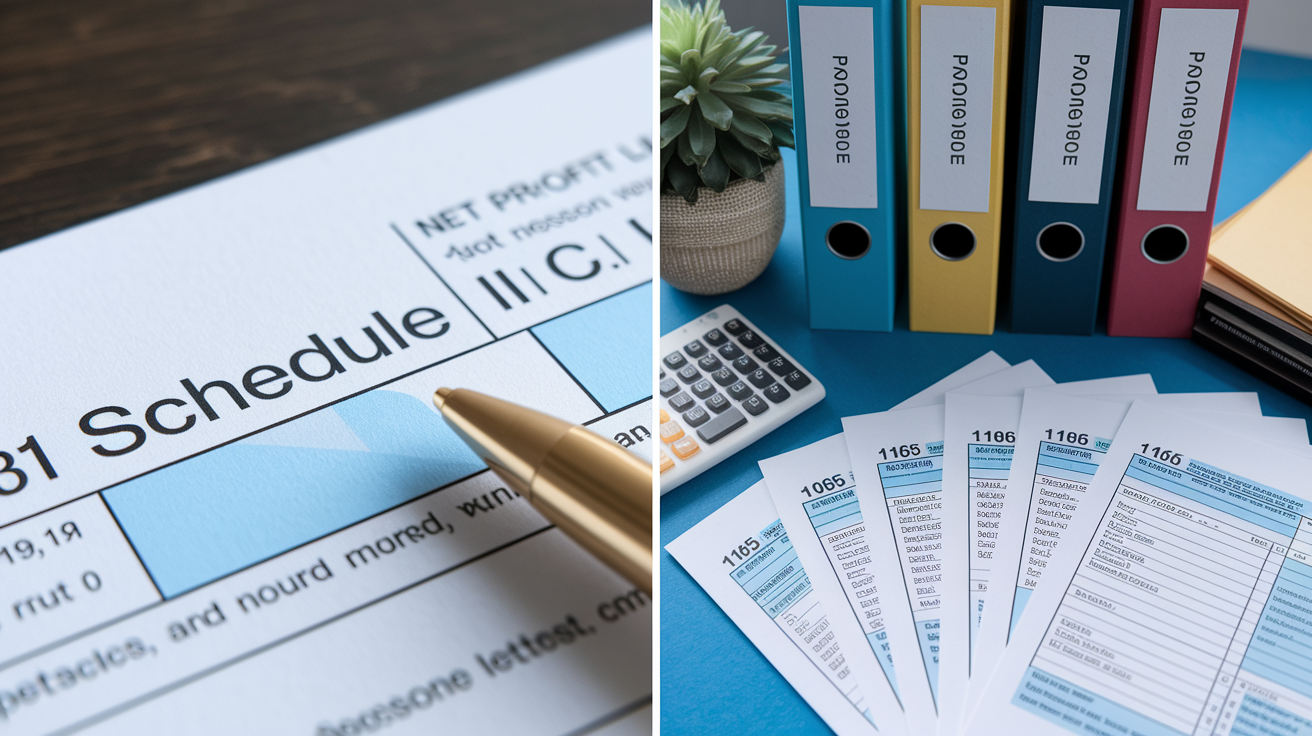
Self‑employed borrowers and business owners face stricter doc requirements because lenders can’t verify income with a single W‑2. Instead, underwriters calculate your qualifying income by averaging two years of net profit from Schedule C, adding back non‑cash deductions like depreciation, then subtracting any distributions or draws that reduce business cash flow. You’ll need personal tax returns, complete business returns, year‑to‑date financial statements, and proof that your business bank account matches the income you reported.
If you file Schedule C, include the full form for both years and highlight line 31, net profit or loss. Lenders will add back depreciation and other non‑cash expenses, so be ready to explain large deductions. If you own a partnership or S‑corporation, submit Form 1065 or 1120S for the business, plus the K‑1 that shows your share of income. Underwriters will compare the K‑1 to your personal return to make sure the pass‑through income appears on Schedule E or as additional income on your 1040.
Multi‑entity borrowers who own more than one business or receive K‑1s from multiple sources should organize returns by entity. Create a separate folder for each business and include the entity’s return, your K‑1, and a one‑page summary showing your ownership percentage and your share of income. This stops confusion when the underwriter tries to reconcile your total reported income across several entities. If you’re a silent partner in one entity and an active manager in another, note that so the lender understands which income streams are passive and which are active earnings.
Here’s what self‑employed and multi‑entity borrowers must provide:
- Complete business tax returns for the last two years. Schedule C, Form 1065, or 1120/1120S with all schedules and attachments.
- K‑1 forms for each entity you own or invest in, showing your percentage ownership and your share of ordinary income, rental income, and guaranteed payments.
- Year‑to‑date profit & loss statement and balance sheet prepared by your accountant or bookkeeping software, dated within 60 days of your loan application.
- Business bank statements for the last two or three months, showing deposits that match the income on your profit & loss and that cover your business expenses and any owner draws.
Security and Privacy When Storing and Sharing Tax Documents for Loan Applications

Tax returns contain your Social Security number, account numbers, income details, stuff identity thieves want. When you scan, store, and share these docs, use security measures that protect you from fraud and unauthorized access. Start by scanning on a trusted device, your own computer or a secure office scanner, not a public library or print shop.
Save files as password‑protected PDFs if your lender accepts them. Most PDF tools let you set a password before you save. Choose a long, unique password you share only with the underwriter via a separate secure channel, like a phone call or encrypted messaging app. Don’t send passwords in the same email as the file. Back up your digital folder to encrypted cloud storage that requires multifactor authentication, services that send a code to your phone before granting access. For extra privacy, keep a second backup on an encrypted USB drive stored in a locked drawer or home safe.
When you share docs with a lender, use their secure upload portal whenever you can. Most mortgage and business loan applications include a portal where you log in and drag files into designated fields. If the lender wants email delivery, ask whether they accept encrypted attachments or if they’d rather you upload to a shared secure folder. Don’t attach unencrypted tax returns to a regular email. Email’s not secure, and your return could be intercepted or forwarded without your knowledge.
Scanning safety: Use your own scanner or trusted device. Verify each page is legible before deleting the original photo. Save as searchable PDF with OCR.
Password protection: Set a strong password on PDFs and share it separately via phone or encrypted message. Don’t use your birthdate or SSN as the password.
Cloud backup with MFA: Store files in encrypted cloud accounts that require multifactor authentication. Use long, unique passwords for your cloud login.
Secure transfer options: Upload through the lender’s portal, use encrypted file‑sharing links, or hand‑deliver hard copies in a sealed envelope. Never send unencrypted tax docs via regular email.
Final Review and Checklist Before Sending Tax Returns to a Lender

Before you hit “submit” or seal the envelope, run through a final check to catch missing pages, unsigned returns, or file‑name errors that could delay underwriting. Print or open every document one last time and compare it against your original records. Verify your 1040 signature page is included for both years. Unsigned returns are invalid. Check that every schedule referenced on your 1040 is actually in the packet. Look at the totals on your W‑2 and 1099 forms and confirm they match the income lines on your return.
Confirm both years of complete federal Form 1040 are included, with all schedules attached and signature pages present.
Verify every W‑2 and 1099 for both years is in the packet and that the totals match your return.
Check that business returns (Schedule C, 1065, 1120/1120S) and K‑1s are complete and signed.
Include year‑to‑date profit & loss and balance sheet if you’re self‑employed, dated within 60 days of application.
Confirm you’ve added the last two or three months of bank statements for all personal and business accounts.
Verify IRS tax transcripts are included if the lender requested them.
Number all pages consecutively and make sure your table of contents matches the actual page numbers.
Check that digital file names are consistent and descriptive. Examples: 20251040.pdf, 2025W2_CompanyName.pdf.
Review any explanation letters for clarity, attach supporting docs, and sign and date each letter.
Keep a complete copy of everything you submit. Digital backup and hard‑copy duplicate, before you upload or mail the original packet.
Final Words
In the action: you pulled two years of full returns, W-2s, 1099s, bank statements, and transcripts, then used a fast workflow to build a preliminary lender packet.
Next you learned optional sorting, digital scanning tips, lender-ready packaging, and how to handle K-1s or losses without surprises.
Finish with the final review checklist, confirm matching figures and signed copies, and send files securely. Use this guide when you think about how to organize tax returns for loan applications — it makes underwriting smoother and keeps your loan on track.
FAQ
Q: How do I organize my tax return documents?
A: Organizing your tax return documents means gathering two years of full federal returns (1040 + schedules), W‑2s, 1099s, K‑1s, bank statements and IRS transcripts, then assembling them into a single, chronological packet.
Q: How to categorize loan payments for taxes?
A: Categorizing loan payments for taxes means separating interest (possibly deductible for mortgages or business loans) from principal (not deductible), logging lender statements, and tracking fees, points, or prepaid interest for tax reporting.
Q: What do mortgage lenders do with tax returns? / Why do loan companies ask for tax returns?
A: Mortgage lenders and loan companies ask for tax returns to verify income, stability, DTI (debt-to-income), and business activity; they compare returns, W‑2s, and bank deposits and flag inconsistencies or large deductions.